
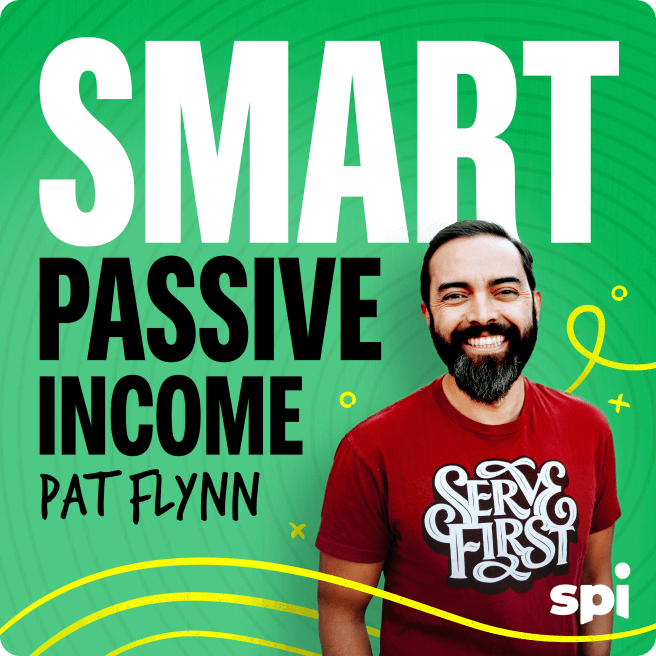


Having the right tools for the job will transform your productivity. After trying out hundreds of them, I’ve finally unlocked the next-level tech stack that changed the game for me.
Tune in for this episode to hear how I use everything from AI to basic calendar apps to elevate my workflow. Don’t miss this session because, while most services promise the world and fall short, you only need a few high-quality tools to set yourself up for success!
I’ll discuss how and why I’ve fed my books, videos, newsletters, and everything else into Poppy AI for upleveled creativity. I’ll share services like Riverside that make content creation easy. Also, I’ll remind you that Kit and Circle, companies for which I serve as advisor, continue to offer top-tier email and community solutions. [affiliate links]
But that’s just the start. There are other tools in this mix to help you create more while building and managing a business without burnout.
I know that finding the right combination of apps can feel like magic to any entrepreneur. So listen in to find out more about my current setup!
You’ll Learn
- How I use AI to write in my own voice and speed up content creation
- The easy way to record and edit pro-quality podcasts without a team
- The importance of starting and growing your email list
- Turning followers into a loyal community that grows along with you
- The hidden costs of juggling too many tools and apps
- Managing a business and team without stress and burnout
Resources
- Learn more about my favorite AI tool, Poppy AI [affiliate link]
- Start recording high-quality video and audio with Riverside [affiliate link]
- Schedule short-form videos across multiple platforms with Vubli [affiliate link]
- Use my favorite live streaming solution at Ecamm Live [affiliate link]
- Manage payroll easily with Gusto [affiliate link]
- Edit and create video content with ScreenFlow and Camtasia
- Learn more about my favorite newsletter platform, Kit [affiliate link]
- Find out more about creating online communities with Circle [affiliate link]
- Create quizzes to generate new leads at ScoreApp.com [affiliate link]
- Subscribe to Unstuck—my weekly newsletter on what’s working in business right now, delivered free, straight to your inbox
- Connect with me on X and Instagram
SPI 898: Business Tools I’m Using More than Anything Right Now
Pat Flynn: Over the years, I’ve probably used 500 different tools to help me run a business in some way, shape, or form. Now that’s a lot of tools and a lot of those tools have come and gone. Some of those tools I still continue to use. I’m not gonna tell you about all 500 of them, but I am gonna tell you today about 10 that you should be paying attention to, to help you in some way, shape or form. Whether it’s to save money, to save time, to help you brainstorm, get things done faster, all those kinds of things.
And I’m gonna start with one tool that I’ve been using more than anything recently, and that is Poppy AI. Poppy AI is sort of a layer on top of popular AI tools to allow you to visually connect things together to a chat window so you can understand exactly where it’s pulling the information from, and you could train it on certain things.
For example, if I want to write a newsletter, I can upload my own newsletters and even my own voice and my books and my YouTube videos. And then prompt it to create a new newsletter for me. This is exactly how I write my unstuck newsletters, and I know they’re gonna be in my voice because the source material is literally my own material.
Let’s say I wanted to create a video essay and write a script for it, but I don’t know how to do that. But guess what? There’s a lot of people who have taught for free on YouTube how to do that, and I could pull those videos as source material to then train this system to be able to then create my own video essay.
I can even include my book in there, my book Lean Learning, and say, Hey. Take the learnings from these video essay teachings on YouTube and write a video essay about my book Lean Learning. So there you go. I’m training it on material that I know it’s coming from and I’m able to work on it from there. You can get pretty sophisticated with different things and inputs and outputs out of this thing, and I’ve used it for multiple things, including exactly how to write my newsletter, write YouTube scripts, and even social media clip ideas, all of it coming right from Poppy AI.
Now, let’s say you get a script and now you need to edit your video. In fact, I’ve been using this tool every single day to edit my short form videos that then go live on my channels that have now been seeing over 12 million views a day. This is my show or my little mini show called Should I Open It or Should I Keep it Sealed?
And this is gone kind of viral now, and I use a very simple tool to edit this. I use. ScreenFlow. The ScreenFlow for Mac, the equivalent would be Camtasia for PC. And this is a very sort of light version of what an Adobe Premier or Final Cut Pro would be to allow me to slice, dice, and edit my little short form videos.
And this, combined with the systems I’ve created, the folders that I have to pull my sound effects from and all those kinds of things, templates for the same style of show every day. I can edit one of my videos that gets seen millions of views per day in just about 10 minutes. My recommendation if you’re using this tool or any other tool to edit videos is just stick with one, stop bouncing around and then learn the shortcuts.
For example, I know that if I wanna freeze a frame, I can hit command shift F, and that will freeze a frame to then take a part of a video and turn it into a photo, which allows me to do this sort of zoom in thing every time I jingle pops up. You only learn those things over time, the more you use these products.
And if you’re consciously going in there asking yourself, how can I get a little bit faster every single day? So ScreenFlow has been amazing. Yes, there’s a lot of other tools to help you edit videos, everything from Cap Cut to Instagram’s editing tool to bigger, higher end tools like Vegas, and of course, Final Cut Pro and even iMovie.
But man, ScreenFlow has been with me for years and I absolutely love it. Now let’s shift from editing videos to actually recording videos and specifically recording a video podcast. There have been a number of tools over the years that I’ve used everything from Skype. I remember Skype call recorder, back in the day to then using Zoom, and then I used Squadcast, which then got acquired by Descript. But now I’m using Riverside.fm and Riverside has been an incredible tool.
It has all these AI things baked into it to make life so much easier. It can even edit your podcast as soon as you’re done recording it. Of course, it records locally just like a lot of these other tools to allow you to have the best quality with the videos that come through, even if you’re recording with somebody from the other side of the world.
But more than that, you can do things like remove filler words immediately. You can actually get clips for social media, right inside of Riverside. So if you wanna check out Riverside SmartPassiveIncome.com/riverside and use the code smart to save, and if you go there, you’ll get a one month on the Pro Plan free if you use the code smart.
So again, SmartPassiveIncome.com/riverside. Use the code smart and using Riverside has been a very, very cool thing that has allowed us to just capture the best audio and video for our podcast and do it with incredible efficiencies. You can even schedule your interviews there and it sends out the invites, connects with Google Calendar, all the things you need.
Riverside.fm. It’s been great. Now, there is a brand new tool that has come onto the streets lately from a person who is an old school guest. In fact, this person has been a guest way back in like 2010 of the podcast in the early days within the first year. This is Gideon Shalwick and his new tool, Vubli.
V-U-B-L-I. This is literally brand new. I think it’s Vubli.ai. Let me verify that. Yes, that’s true. And what bubbly does is it allows you to distribute your short form videos across multiple platforms, Facebook, Instagram, TikTok, and of course YouTube shorts. In just one full swoop, and it understands each of those platforms.
It’s built specifically for short form video, which I really, really love. It knows that on certain platforms that in order to have a thumbnail, you need the first just frame to be included, and then you can choose it for that. I mean, it’s just. A brilliant tool that’s very specific. And if you are capturing these short form videos, or if you’re pulling from your podcast with a tool like Riverside, or if you’re using something like Opus Clips or something to do that, well, this will help you distribute it in a very, very quick manner.
So Vubli.ai, not an affiliate for that tool, not yet, actually, I’m still in the testing mode with it, but so far my tests have been very successful and I highly recommend again that you check it out, Vubli.ai. Now, let’s say you’re recording videos. Live and you are broadcasting these videos live and you want the best tool to be able to do that, to distribute your live videos to multiple platforms, or to be able to add multiple cameras during your live streams, or to be able to put text on your screen and switch between cameras and actually bring in live comments onto your live stream.
There are a lot of live streaming tools like OBS and Stream Labs, but I absolutely love Ecamm Live. I use this tool literally every single week on Mondays I go live in front of my Deep pocket Monster audience. Have about eight to 10,000 people watching concurrently. Yes, a grown man opening Pokemon cards, and we have that many people having fun watching these cards getting opened.
I’m giving them away, and I’m using Ecamm Live to do this. It makes it very, very easy to click a button and just go live. As soon as you schedule something on, for example, like Facebook or YouTube. It then shows that that is going to be ready to go and you could just go live and it’s just there. It’s awesome.
And you can even record these. You can even use e camm live as a virtual web camera, meaning if you want all those fancy devices and your multiple camera angles, the text popping up on screen, but you want to be on Zoom or you want to do a live presentation online, well, you can use e Camm Live to do that, and now you have this really impressive sort of stream where instead of just a webcam alone, you’re using all these fancy things that you have available to you through again, Ecamm Live.
So definitely check out Ecamm Live There. Absolutely incredible. The team over there. Is awesome. From Katie to Doc Rock and just everybody else over there, they’re awesome. They even sponsored Card Party, they’re so awesome. So thank you so much for doing that. Ecamm Live, they used to be called Ecamm Call Recorder.
That was the tool that would actually integrate with Skype, so they’ve been doing this forever because Skype no longer exists and Ecamm Live is now its own thing that’s been just coming up with so many brilliant new features over time, and I highly recommend you check it out again, Ecamm Live.
Now another tool that I use in my business outside of video. Now, we’ve talked about video a lot. This is something that’s gonna help you manage the finances and the payroll of your team. It’s something that’s gonna help you with a lot of the benefits of your team members and yourself, helping you pay yourself a paycheck, all that kind of stuff.
This is a tool that if you’ve been running a business for a while, you may have heard of. But it is up there and we use it all the time. It’s called Gusto, G-U-S-T-O. Gusto. And Gusto has been incredible for, I mean, I log in there pretty much once a month to go in there and update things and make sure I could see my pay stubs, all that kind of stuff.
Make sure the team gets their benefits, et cetera. Everything from integration with tools like Guideline to help you with 401k and match planning and all that kind of stuff to your dental. It’s a little bit confusing, a lot of the HR and administrative related things when it comes to running a business, but Gusto has been a lifesaver, so I highly recommend checking out Gusto and signing up for it. If you are serious about your business, you have your business entity, your LLC, your S corp, or C corp, whatever it might be, connect it to Gusto so that you can actually properly manage everything, your finances, everything that needs to go, where it needs to go.
I mean, there’s a lot of things that I wouldn’t even begin to understand, but Gusto makes it very clear, especially when it comes to paycheck and where certain monies should be going and how things are handled. It also makes it very easy for my tax people to be able to go in there and just collect everything they need to be able to do what they need to do.
So G-U-S-T-O checkout Gusto.
Now, the next couple tools I’m gonna share with you are tools that you’ve probably heard me talk about before, but we continually use them. They continually support our business. They are part of the infrastructure of what we do as a business. The first one being Kit for email.
Now, what’s really cool about Kit. Formerly known as ConvertKit is, I’ve been with them since 2014. I’ve been an advisor to the company. I can see firsthand just exactly what they’re doing to help all the creators that are using their software. It is incredible. It’s not just email. It’s connections with other people in the email environment to be able to share subscribers and help you grow your list and help connect one another together.
It’s payment platform to be able to collect payments. It’s an ability to now have a paid newsletter if you wanna go down that route. It’s the ability to integrate with so many different tools and with their app store, they have a lot of other tools, including tools like wordsmith, which is one of my favorites because you can take a YouTube video of yours and with just a couple clicks, turn it into a newsletter.
That gets put into Kit just automatically. That’s the power of their app store. Being able to utilize these other apps that exist just right within your email system. It’s really cool. So again, Kit is the place to go, and B, if you’re doing email plus very recently, if you haven’t heard the news, you can get up to 10,000 subscribers for free.
On their free plan. That’s, I don’t know anybody else who’s doing it that big, so there is no excuse not to get started with Kit. All you have to do is go to SmartPassiveIncome.com/kit, get started there, and the Creator Network, the ability for you to see who else you might be able to connect with, who can then help you grow your list and vice versa.
That’s been a game changer for helping people grow their list, especially if you’re just starting out. There’s a lot more I could talk about with Kit. We have some videos here on the YouTube channel. That can help you with that too, but we’re not gonna go too deep into that. But I do wanna go into another part of our infrastructure in the SPI business that has been helping us, and that is, of course, Circle.
This is where we are hosting and running and managing our community, our SPI community. This is where we host our courses now. We take people through an onboarding process as soon as they sign up and they take a little quiz to make sure they know exactly where to go and how to get the most value out of it.
From there, they take the courses, they join the conversations in the communities. We host live events in there. My office hours are even now hosted inside of Circle because they’ve integrated live video. What’s really cool is during those office hours, I could spotlight different people’s questions and talk about ’em, which makes ’em very, very easy to find later.
The directory and the ability to search through that to find other like-minded people who are in the community that you’re in is awesome. And the modular approach to the setup is unlike anything else when it comes to building a community. So yes, you can build communities pretty much anywhere now, Facebook, LinkedIn, et cetera.
But if you want the information and the education to go along with it, if you want the ability to control the sandbox that you’re gonna be having your people play in, well then Circle is the place to go. SmartPassiveIncome.com/circle is where you wanna go. That’s our affiliate link. And can’t say enough about how much and how important Circle has been for us and how we are able to provide value to our community and all the members of SPI.
So thank you and a shout out to all the members of SPI as well who are listening to this. You know who you are. And also, of course, the founders, Sid and Andrew over at Circle. I’m also full disclosure and advisor for that company as well, which means I also get insight into just all the developments over there and everything that they have going on for you to help you better serve your people.
And community is the future of business. It’s here. I wrote about it in my book, Superfans that was published in 2019, even before I created communities, and it’s so important. That’s where the human to human connection is nowadays. It’s where you need to be because everything is becoming artificial now.
Nothing is real it seems anymore. But the human to human, whether it’s online or offline, those interactions are gonna be key to success in future-proofing your business and building your brand. So check it out. That’s Circle.
Next. This is tool number nine here on the list, and it is a great one. It is called ScoreApp by Daniel Priestly. ScoreApp.
We had Daniel Priestly here on the podcast not too long ago. I use ScoreApp to generate leads from my book Lean Learning. In fact, if you wanna check it out in its form right now, you can go to LeanLearningQuiz.com. That’s actually ScoreApp in use for my business to generate leads for lean learning in our brand right now.
So what ScoreApp does is it allows you to create an online quiz. But the beauty of this is that number one, it’s relatively easy to set up, but number two, what you do is you’re building leads by creating value. You’re offering information through the personalized responses that are given, and you can have different responses for different people’s selections.
You can have different call to actions. You can lead people in different directions depending on their answers. And this is the next level of generating leads. It’s not just, here’s A PDF and everybody go download it. It’s take this quiz so you can find out more information and, hey, I’m just using this as an example based on your BMI, you might need some help in these parts of your health and fitness, and here’s some resources. Here’s my course. Here is where to sign up for coaching to get some help on that thing that you specifically marked as what you needed help with because the results and the data say so. So this is sort of next level.
If you remember back in the day, I mean this isn’t anything new, it’s just new how quick and easy you can get this set up through score app. So again, SmartPassiveIncome.com/scoreapp if you wanna check it out. And Daniel Priestly is the king of creating quizzes for leads and has taught us a lot, and I’m again using it on LeanLearningQuiz.com.
What we’re doing there, or what I’m doing there specifically, is capturing information about how much people learn and depending on how much people learn, but how much they’re finishing, depending on that answer, I can help guide them to lean learning the book itself or some principles within it, and of course some of our courses that can help them stay more honed in and focused on what they need to be learning about.
So again, a brilliant way to take information and also kind of approach the lead generation as value giving first. And not only that, it like literally sends an email and a PDF file that’s specifically with their answers. It’s genius. So well done to Daniel Priestley. Again, ScoreApp is where you want to check out at SmartPassiveIncome.com/scoreapp.
Alright, this next one. This has been probably the most useful tool that I’ve used across most of the years of my business. It is a tool that you have access to. It’s a tool that is free for anybody to use, but when I find a lot of students of mine, when I ask them how much they really care about this tool, they’re using it, but not with the right mindset.
What is this tool? It’s Google Calendar. Yeah, it’s just a calendar. But I wrote about this in my book, Lean Learning, the idea of using your calendar. As not just a way to know what to do what or where to go and when, but as a way to time block, and I don’t mean just creating blocks of time for you to do things, but to literally block out anything else that should come in during those moments.
So I’m not just talking about scheduling meetings. I’m talking about scheduling when you are in your creative mode and when social media shouldn’t be a part of that. When you are in family mode. My calendar includes family time because that is of importance. It’s interesting when you look at a lot of people’s calendars, you put it on the calendar ’cause it’s important.
But most people’s calendars just have business related things on it. Work meetings. Why isn’t the time that you’re spending with your family from date nights to just playtime with the kids to dinner? Why isn’t that on the calendar? Shouldn’t that be more important? Shouldn’t that be something that should be honored?
Absolutely. So again, this mindset around your calendar as not just, here are the work things I have to do, but here is where I should be focusing and when on what. And it’s not just business, it’s family and everything that you have going on, your health, your fitness, prioritize that as well. If it’s on the calendar, it’s a priority.
If you wanna show me what a person’s priorities are, show me their calendar, is what I like to say. So those are the tools. Lemme know what you think. Did any of those stand out to you or have you used any of them? Are any new to you? Let me know and I look forward to serving you in the next episode. I love these sort of brain dump episodes of just things that we’re working on and using right now.
It just seems to hopefully help you more than just kind of theory and principles, but like getting down and dirty with the things and the tools that are gonna help you move forward is great. And if you could just use one of these tools to help you, great. Don’t go to all of them. Pick the one or two that seem to be most interesting to you.
Check ’em out, give ’em a trial run and see how it goes. Thank you so much. I look forward to serving you in the next episode. Until then, hit subscribe or follow the channel. Thank you so much. I’ll see you in the next one. Peace.