
How to Start a Podcast STEP-BY-STEP | 2026 Complete Tutorial — UPDATED
You’re about to learn how to start a podcast, step-by-step, even if you’ve never done anything technical like this before.
I’ve been podcasting since 2010, but I can still remember how confusing and intimidating it was in the beginning. You’re about to learn how to start your show, the easy way. The SMART way.
Let’s get into it…
Table of Contents
How to Start a Podcast in 2025 (10 Steps & FAQ):
- Choose a podcast topic you can commit to
- Pick your podcast name
- Write a compelling podcast description
- Decide on your podcast format
- Get your podcast artwork and music created
- Purchase your podcast equipment and test your podcasting software
- Choose your podcast hosting service
- Record your podcast episodes
- Review my top tips for creating and growing your podcast
- Let the world know about your new podcast!
- How to make money podcasting
- How to start a podcast FAQ
[Full Disclosure: This article contains affiliate links, which are marked with “Affiliate link.” As an affiliate, I receive compensation if you purchase through these links, at no extra cost to you. You can read my complete disclosure statement here.]
Want to start your podcast faster?
The SPI Community has the courses, resources, support, and accountability you need to launch your podcast now.
The #1 reason why you need to start a podcast
On the Internet today, it’s all about earning trust, and there’s no better way to earn trust from people than with your voice—the real you.
As a podcaster, you’re going to broadcast your message to thousands, maybe even millions of people. But to the listener, it’s just you and them. As I once heard from a fellow podcast veteran, “Podcasting is the best way to scale intimacy.”
And it’s so true. When I meet my listeners in person, they say things like:
- “Thanks for keeping me company while I was . . .”
- “I was scrambling, taking notes while you were talking about . . .”
- “Pat, I feel like I know you.”
When I learned about the kind of connection you can make with your listeners, I became obsessed with podcasting. I created several more shows, including AskPat, FoodTruckr School, and The 1-Day Business Breakthrough Podcast, and even one with my ten-year-old son called All Of Your Beeswax.
Here’s my second most popular show with over 1,200 episodes!
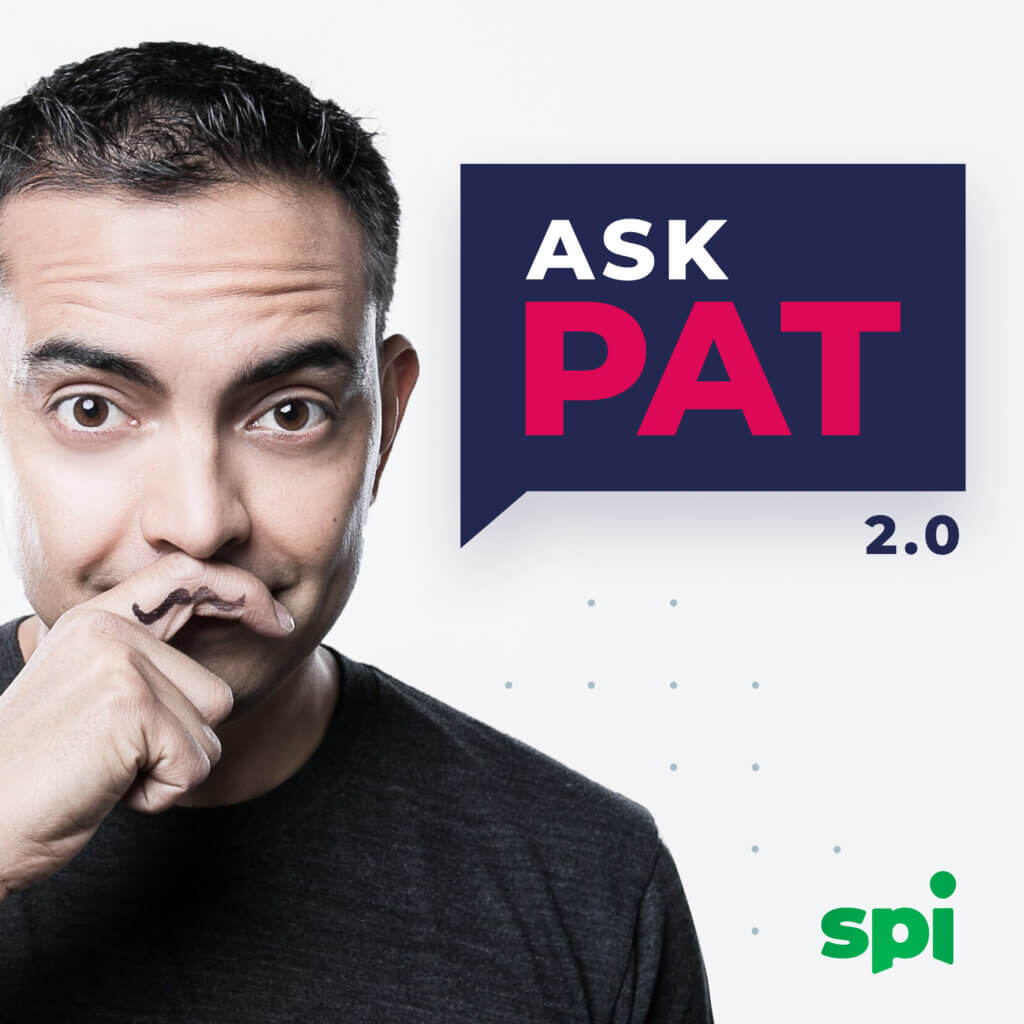
AskPat 2.0
A series of weekly coaching calls with entrepreneurs and business owners just like you!
What do I need to start a podcast? Myths and blockers
Before you can begin recording, we first have to dispel a few myths. Once the “what is a podcast?” question is answered, these are the most common blockers I find many of my podcasting students have when trying to get started:
Myth #1: You have to be a natural-born communicator or speaker
Back in 2008, I wrote a blog post announcing that I was going to start a brand new podcast. I even published a little audio file to make the announcement to test my new equipment. I cringe when I think about it. Personally, it’s hard for me to listen to, but I’m going to let you listen to it now:
What’s with that music? And did you hear how timid I sounded? I was NOT great behind the microphone, and every time I tried to record my first actual episode, I’d get scared and go back to blogging. I didn’t think I was good enough.
It took me a year and a half to finally publish my first episode, and of course, I’m so glad I did. Over time, my communication skills improved, and as you already know, the results are more than I could have dreamed.
I hope sharing this with you helps you realize that you don’t have to be great to get started. I wasn’t, that’s for sure. Now, on to the next myth …
Myth #2: You have to podcast in a large niche to succeed
Not true. Need proof? Let me introduce you to one of my students, Phil Lichtenberger, host of Scanner School.
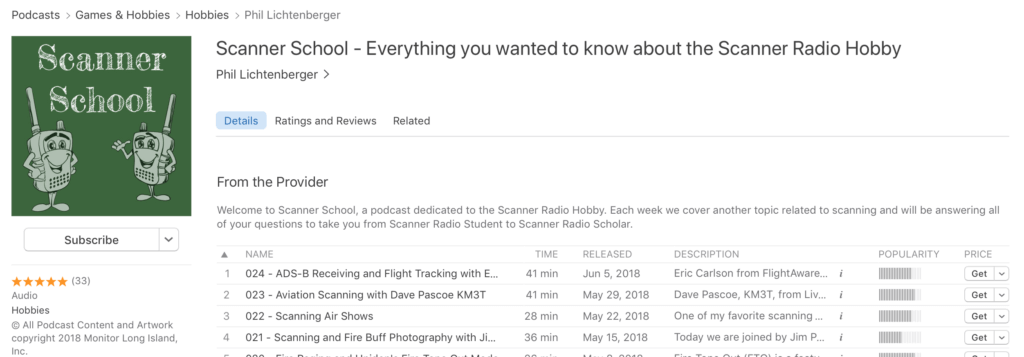
Phil’s podcast is in the scanner niche, the handheld kind that you can use to listen to police lines and emergency frequencies and nerdy things like that.
Yeah, not too large in terms of a listening audience compared to things like entrepreneurship, personal development, fitness, and other large niches. This was a hobby of his, and he wanted to use a podcast to just talk more about it and connect with others.
Well, within six months, he became a micro-celebrity in the space. Check out this Facebook Message he posted in our Podcast Student Center:
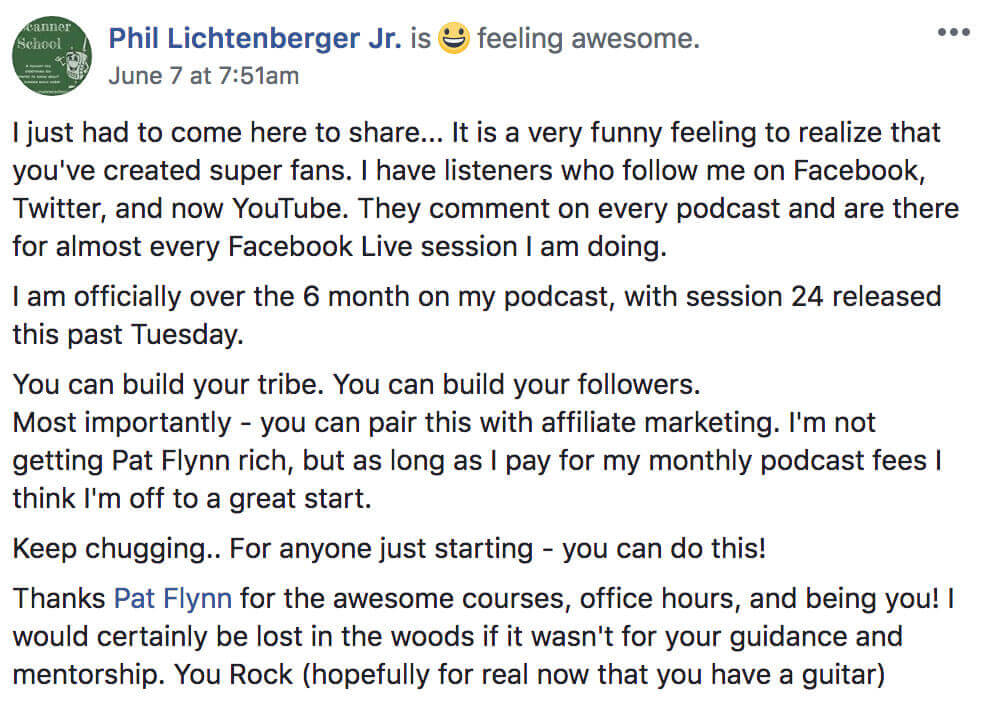
Phil’s podcast, in the small niche of scanners, was a hit. Now he has fans, repeat listeners, and even companies reaching out to work with him.
No matter the size of your niche, you can bring your audience together. Also know that many times the riches are in the niches, and there’s an advantage to narrowing down your focus and staying small.
Myth #3: You have to have a following to get started
Nope. Not true.
In fact, a lot of people are starting their podcasts SO THAT they can finally start building their audience, even from scratch.
Take Sophie Walker, for example, another one of my students who literally started with zero. No email list. No audience. No following.
Here’s what happened with her new podcast, Australian Birth Stories:
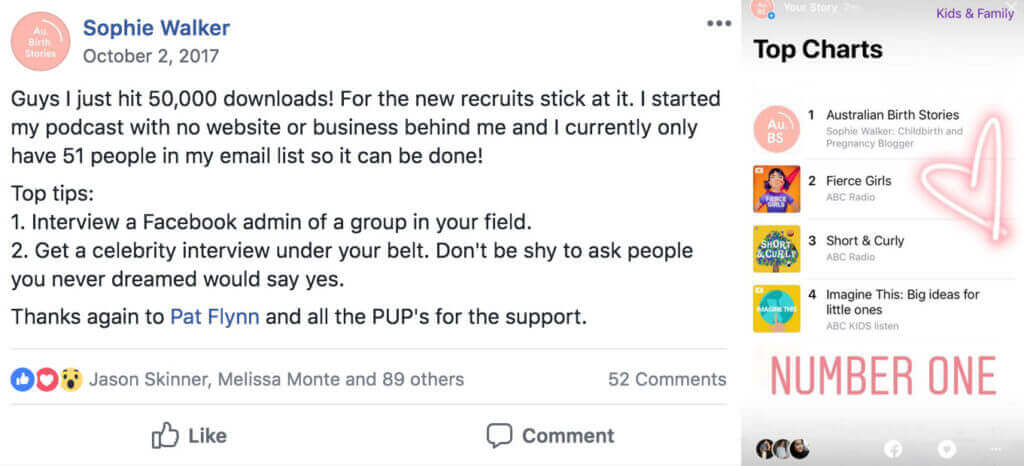
Yes, she did it. She became the #1 Kids & Family podcast on Apple Podcasts in Australia. Her podcast has recently been accredited by the Australian College of Midwives as Certified Professional Development to all Australian Midwives.
How amazing is that?! And all of it, from scratch.
If you’re starting from the beginning with zero audience, then I think you’ve made a wise choice to start a podcast to get going.
The easiest way to learn how to start a podcast
I’ve outlined the entire process from start to finish for you below. Recently, I also published an updated video to take you step-by-step. If you prefer learning visually, and with voice behind it, click play on the video below.
Looking to start an audio podcast? Watch this.
Looking to start a video podcast? Watch this.
Whether you watch the video above or not, here’s a list of things you’ll need ahead of recording and publishing your first podcast episode, explained:
What to prepare before you start recording
Before you start recording, and even before you dive into the tutorial videos below, there are five things you need to prepare. Have all of this stuff handy for later—you’ll thank me for it.
1. Choose a podcast topic you can commit to
It’s easy to get hyped up about an opportunity like podcasting, however I’ve seen it many times before: If you don’t plan ahead, you’re going to be doomed.
Podcasting takes some work, so you’re going to want to make sure you spend adequate time upfront to make sure you choose a topic that excites you. Something that has more than three episodes worth in your head. Something that’ll keep you going for the long run.
I can’t tell you what topic to choose, but I can give you a couple exercises that I teach my students that will help you frame whether or not a topic you’re thinking about is worth pursuing.
Check out my full guide on choosing podcast topics, complete with tons of ideas for podcast episodes!
Exercise #1: Create a list of 25 episodes
Write down a list of twenty-five potential episode ideas for the podcast topic(s) you have in mind. You can include potential guest names, too, as if you already have those people booked.
You don’t need to worry about the exact title of the episodes — just come up with the ideas.
If you can’t get past ten, then what happens when you record ten episodes and you’re left scrambling to figure out what’s next?
The Smart Passive Income Podcast has published over 850 episodes, and AskPat over 1200, because business topics are a passion of mine. I could write down 1000 more right now if I needed to.
If you showed me at least twenty-five right now, I’d feel comfortable about that topic for you.
Exercise #2: One year from now
It’s one year from now, and you’re going full-steam with your podcast. You’re fifty-two episodes in, and you’re even beginning to get a number of emails from companies and your fans about your podcast.
You wake up each morning and connect with people on social media who just recently listened to your show.
Are you bored? Are you stoked? Are you happy?
When I run this exercise with my students, some realize that a year from now, even if their podcast was successful, it’s not a topic they’d really be happy about.
Instead of just choosing something that’s obviously right in front of you, spend some time thinking about what would make you happy to wake up and podcast about a year from now and beyond.
2. Pick your podcast name
The title of your podcast is one of the first things people see, even before they listen to a single word of your show. So naturally, this is a really important decision.
All this info goes into your podcast host when you setup your show there, and you can always change anything related to your show (people change their title, description and artwork all of the time).
I understand if you’re feeling a little hesitant about nailing down a show title and moving forward. It defines your branding, your artwork, what you say, how you share it, and many, many more things.
For several podcasters who already have a brand elsewhere (where the podcast is an extension of that brand) then naming the show is usually relatively simple. It includes the brand name, and sometimes some version of the word “podcast,” “radio,” “show,” or another modifier to differentiate it a bit:
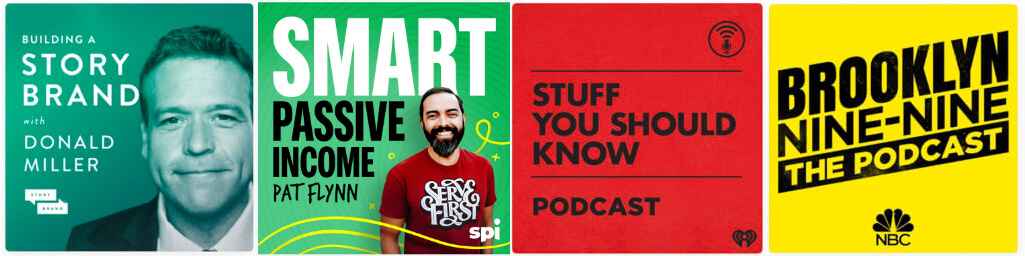
For personal brands, you’ll almost always see the name of the person in the show itself, which makes sense because they are the brand:
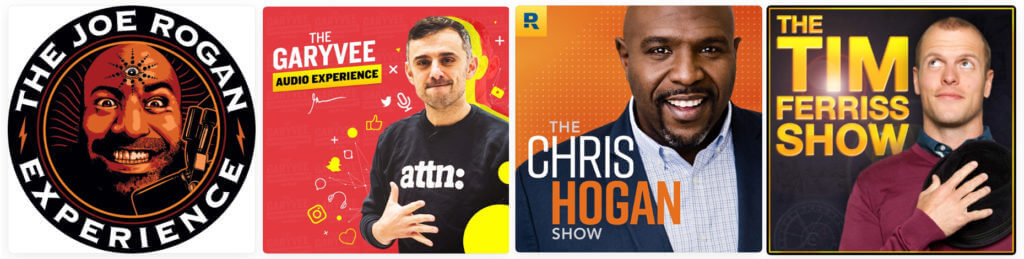
Then you have the titles of podcasts that describe exactly what you’re going to get when you listen to it. The title itself is descriptive of the content. And yes, this does help with search engine optimization:
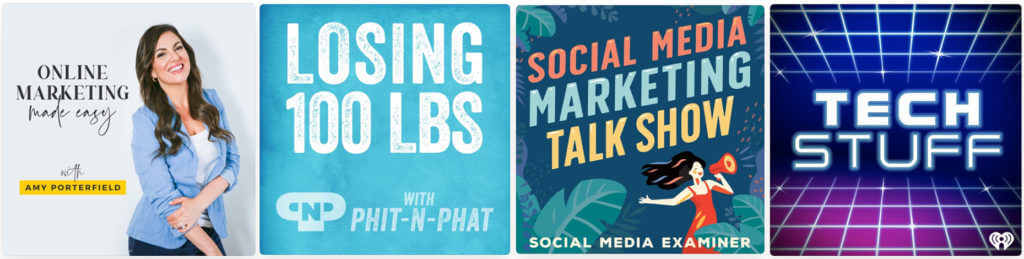
And then, of course, you have the podcast names that at first glance don’t make any sense at all. These can be successful, too! The podcast name takes meaning based on what the host does with it. So even if you can’t nail the perfect descriptive show title, know that whatever title you pick eventually becomes what you make of it:
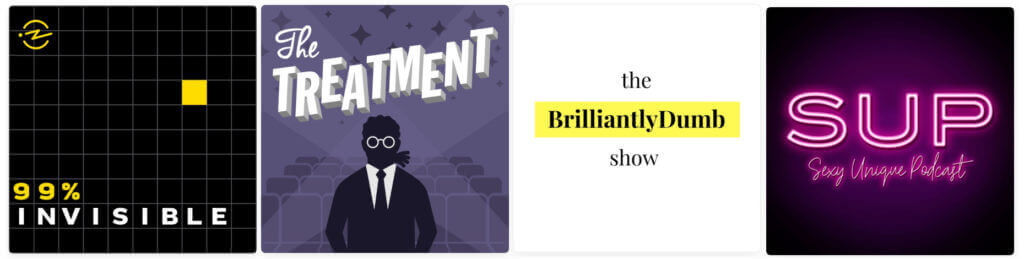
Remember, Apple and other directories are also search engines — don’t forget that.
However, I do have an important warning: Don’t go overboard with the keywords in the title of your podcast. Don’t keyword stuff by adding a billion keywords after the actual name of your show. Try to keep your title as natural as possible, and select your keywords carefully.
Apple has been known to remove accounts due to obvious keyword stuffing in titles.
Don’t do that.
Oh, and for your host name, don’t do this, either:
John Smith | Fitness Expert | Nutritionist | Weightlifting Coach | Likes Long Walks on the Beach
Spend some time coming up with ideas for your podcast title. Share it with people around you and get a gut reaction to see what they think. And if you have an audience, ask them. It’s a great excuse to seed that you’re coming out with a podcast soon (and it’ll hold you accountable, too).
3. Write a compelling podcast description
You’ll need to write a description paragraph about your show for your audience. After they make their way to your show page, this will be the description they read to decide whether or not they want to stick around.
This is where you’ll have a little more freedom to play with keywords. Whatever keywords and keyphrases your target audience may use to find content like yours, include those words in your description.
But, just simply listing them out isn’t going to work because people will read these descriptions — you want these people to feel compelled to click and listen to your podcast.
My best advice: write for the humans in your target audience and know who your podcast is for. Understand their wants, needs, questions, curiosities, and more, and you’ll be more likely to create a description to feed people into your show much, much easier.
With that in mind, here is a list of tips I have for you related to your podcast description:
- Start with something that matters to them. There’s a small part of the description they’ll see first before they have to click to see the rest, so if the benefits or connection is buried, then they won’t even know it’s for them.
- It’s okay to talk about yourself. You need to prove that you’re someone worth listening to and spending time with. But similar to the above, don’t start with you. Feel free to add any credentials and other proof that support this person’s decision to listen to you.
- Imagine your listeners sharing your show with their friends. What would they say? When they say, “Oh you have to listen to this new podcast, it’s great because it’s the only one I’ve found that…”, how would you imagine they finish that sentence?
You have 4000 characters to work with, so you have a lot of room. Have fun with it, but make sure it all makes sense, and if something is not important, leave it out.
4. Decide on your podcast format
- Should I do interviews or a solo show?
- How long should my podcast episodes be?
- How often should I publish my podcast?
Let me answer these common questions for you:
Show Style: Interview show or solo show?
There’s no wrong answer here, but it’s good to think about, ahead of time, whether or not you’d like to invite guests onto your podcast.
Don’t worry yet about how you’re going to interview other people, or even how you’re going to convince them to say yes (more on that later in the tutorial), but the earlier you decide, the earlier you can plan and begin reaching out to others.
Interviews are fantastic because you can get information and collect amazing stories that you yourself couldn’t provide to your audience — at least not from the source. That being said, scheduling interviews and coordinating all of that can get difficult at times. I use a tool like SavvyCal [affiliate link] to help me schedule my interviews.
The biggest benefit, however, is the relationship that you can build with your guest during the call. You’re going to have a conversation for several minutes, sometimes even over an hour, and sometimes you can’t help but get to know the person and become friends.
Many of my best friends in the online and business space have come as a result of the people who I’ve connected with on my podcast, or on their podcast.
Solo shows (where it’s just you recording) are awesome, too. They show off authority, you can build trust with your audience (especially if you help them) more directly, but imagine sitting in a room talking by yourself to a microphone. It feels weird at first, but you get used to it. Like anything, it just takes some practice.
“How long should my podcast episodes be?”
The most common question I get when it comes to how to start a podcast is about the length of episodes.
Number one, know that you don’t have to have the same length episode every single time. In general, you want to stay within an expected range, but if you happen to journey outside of that time, it’s not the end of the world.
The best answer to how long an episode should be is this:
However long the episode needs to be to serve its purpose for your audience.
If an interview was going well but you haven’t gotten to the main story yet, would you cut it off just because of time? On the other hand, if you said everything you needed to say, would you add 20 minutes of fluff just to hit a certain time?
Long episodes are okay, and short episodes are okay. Try to remain within a range consistently over time, but the random outlier is okay, too.
“How often should I publish my podcast?”
You should publish your podcast consistently.
That’s the answer.
It doesn’t matter if your podcast comes out each week, every other week, or once a day. As long as you can get into a rhythm and groove so that your audience knows what to expect, then it’s okay.
Obviously, the more frequently you publish, the more opportunities there are for your audience to download and share more episodes, plus there would be more content for you to be discovered with via search.
But at the same time, the more episodes you publish, the more work there is for you to do.
You can change your frequency (you’re not “locked in”) and publish whenever you want, but try your best to stick to a schedule for a while until making changes, or else you might confuse and frustrate your audience.
When I started the Smart Passive Income Podcast, I only had the capacity for episodes once every other week. I was blogging and publishing three times a week. Then, once I saw how amazing the results were for my show, I switched it to weekly, and then got obsessed and created even more podcasts.
The most important advice related to all of this format stuff is, you have to pick something and go. Stop questioning what the right answer is, because really you won’t know until you get started and publish your podcast. Stop holding yourself back, make decisions, and keep moving forward!
5. Get your podcast artwork and music created
Your podcast is definitely going to need cover artwork and could probably benefit from having a piece or two of music.
How do you get those?
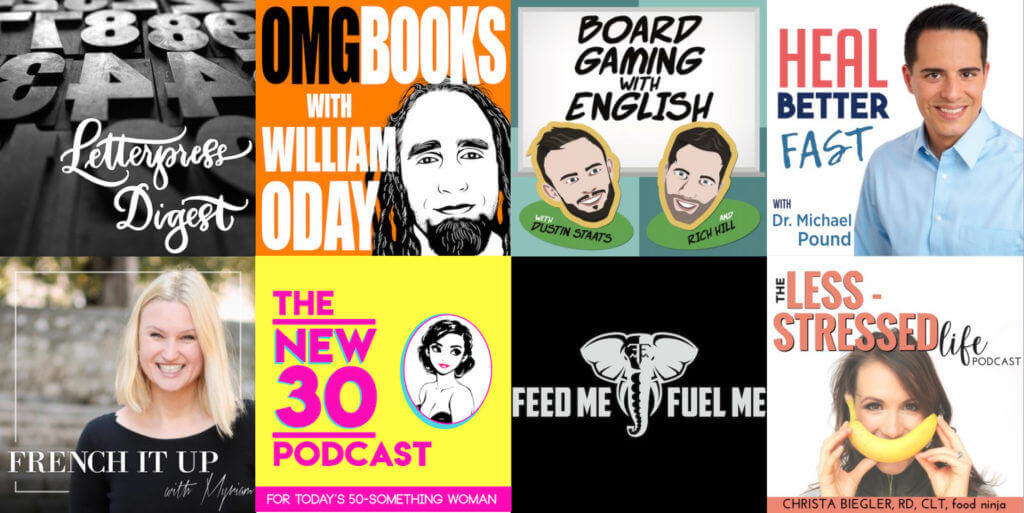
Creating podcast artwork
Your podcast is also going to need some artwork — a square image that represents your show. As much as podcasting is an auditory medium, the graphic, visual element that represents your podcast plays an extremely important role.
For one, it’s what people will see in podcasting directories before listening to a single spoken word and before reading any written words about your show in the description or summary. Your artwork is your podcast’s first impression, and it’s also what competes for attention with every other podcast that’s out there.
For Apple Podcasts specifically, a visually appealing podcast image gives your show a better chance of being featured in highly visible sections of iTunes, such as their “New & Noteworthy” and “What’s Hot” sections for your show’s category.
And lastly, your artwork is what people will see on their media players — their computers and mobile devices — when they listen to your show. It’s an important element for reinforcing your brand identity to your followers.
Podcast artwork specifications
The Apple Podcast image specifications change periodically. This is from the most recent update:
“Size: Square; 3000 x 3000 pixels. If you’re submitting your show via RSS feed, Apple Podcasts accepts show cover artwork ranging from 1400 x 1400 to 3000 x 3000 pixels. The largest size is preferred.File type: JPEG or PNG”
Here are some more tips related to your artwork to help you even further:
- Head to Apple Podcasts (or any other directory) and find podcasts in categories that you might potentially place your podcast in. What kinds of artwork do you see there? What stands out to you? What inspires you?
- Although you’re designing for a big size (3000 x 3000 pixels), most people find podcasts on their smaller devices. Make sure you design for the small size, too. As a test, export your artwork at 55 x 55px and make sure all the things that you want to see are still there.
- Again, if you have an audience, design a few different versions and get their opinion. This will seed your podcast once again, get them involved, and make them more interested in this project of yours, and ultimately more likely to support you when it goes live.
Where might you get great artwork created? Out of everything else here, this is definitely worth investing in because it’s literally the first thing people see related to your podcast. If you don’t have a designer of your own, try 99designs.com or Fiverr.com, or potentially try designing your own artwork using a tool like Canva.com.
Finding podcast music
There’s certainly not an official book of rules for starting a podcast, and even if there was, “you must have music” wouldn’t be included.
That being said, I’m a big fan of having some bumper music at the beginning and end of my podcasts for an added layer of branding and professionalism.
You can follow my lead and also include a voice-over, though don’t let that hold you back from just getting started.
A 10-second piece of music on its own is fine, if you include a voice-over try to keep your intros and outros to about 30 seconds to avoid annoying your soon-to-be-long-time listeners.
Where can I find podcast music?
There are a ton of websites where you can find podcast music that’s completely safe to use (meaning you won’t be getting any copyright infringement letters from the music’s creator).
This music will typically be called “royalty-free,” “library,” or “stock” music, and can be sold piece by piece or through subscriptions that give you ongoing access to huge volumes of sounds and tracks.
There’s also an avenue for finding free music under Creative Commons licensing, though keep in mind you’ll have to pay attention to the rules of the license for each particular piece of music as some don’t allow commercial use.
You also might consider commissioning custom music via Fiverr or another freelancing platform, but again, don’t let the time or dollar costs of doing this hold you back from starting your pod!
A few places I like to look for podcast music:
I hope you’re enjoying learning how to start a podcast so far. Now is where it starts to get real. It’s time to get podcasting equipment so we can finally make this happen.
6. Purchase your podcast equipment and test your podcasting software
There’s a lot of equipment you could purchase to start your show — the prices range from cheap $5 microphones (that sound really bad) to entire broadcasting studio setups (that sound like you’re about to drop an album) that get into the five and six-figure ranges.
I promise you, you do not need to spend as much money as you might think to get your show up and running.
The most important piece of podcasting equipment is a microphone that makes you sound good. There’s a certain standard of audio quality now in the podcasting space. If you’re not up to that standard, you could have the best content in the world but still have people leave and find something that sounds better.
So what should you get? Something easy to use. Something that won’t require a lot of additional extras (like mixers, amplifiers, etc.), and something that’s not going to break the bank.
The answer: The Samson Q2U USB/XLR Dynamic Microphone [Amazon affiliate link]. Here’s what I love about it:
- Great value ($70-$90 on Amazon with accessories)
- It plugs in to your computer via USB (no extras needed)
- It sounds just like my pro $400 microphone
Here is my basic beginner podcasting gear recommendations. You’ll find two microphones on this list to accommodate for availability issues in different countries, but you only need one (they are very similar).
The Basic Podcasting Kit
Consisting of only three items: a simple, high-quality USB microphone, pop filter, and a basic microphone stand, this kit will get you started as inexpensively as possible without sacrificing quality.
We have two microphones recommended here; the AudioTechnica microphone is easier to get in the USA and Samson microphone is easier to source outside the USA.
These are Amazon affiliate links
Also, in case you’re interested, here’s a review video where you can see it in action below, along with the Audio-Technica ATR-2100, which was previously my favorite podcasting mic but has since been discontinued:
As far as software to record into, I recommend going simple with what you might already have access to. Again, you don’t need to spend money on anything fancy right now. I’d rather you save that for marketing your show.
I recommend Garageband if you’re on a Mac, or if you’re not a fan of Garageband and/or you’re a Windows person, then I’d recommend Audacity instead. Both are free.
For interviews, I recommend Zoom.us, or Skype on the low-end, but if you want the best quality, I highly recommend going with SquadCast, an amazing web-based interview platform that makes it SUPER simple to record the highest quality audio over the Internet.
For editing your show using the software mentioned above, I have a couple of tutorials on YouTube that have been seen over half a million times that you can watch here:
- How to Record & Edit a Podcast in Garageband (Complete Tutorial)
- How to Record and Edit a Podcast in Audacity (Complete Tutorial)
If you need help with reducing echo in your recordings (which can happen with hardwood floors and rooms with lots of windows), here are some easy (and cheap) ways to use things around the house to reduce the echo in your recordings:
7. Choose a podcast hosting service
A common mistake when starting a podcast is thinking that you can simply open the podcast app on your phone or computer, hit record, and voilà — your podcast is ready.
While we all wish it would be that easy to publish an episode, you must first pick a podcast host. A host that will publish your recordings to popular podcast directories with ease and give you the ability to share your episodes on your website in style.
For those reasons, SPI recommends Fusebox as both your podcast host and podcast player of choice, and here’s why:
While there are quite literally dozens of platforms out there to choose from, it’s rare to find one that offers …
- Intuitive podcast hosting and analytics
- A sleek web player experience
- A price that won’t break the bank
- And no messy add-ons or extra fees
Sure. There are hosts that check one or two of those — but why settle for just a few?
Fusebox doesn’t charge extra for podcast hosting. They offer the best-looking players in the industry. And their “go-anywhere” HTML code allows you to put podcast players almost anywhere you need them to be.
Fusebox
Fusebox began its journey as a tool of necessity. Back in the early days of podcasting, the podcast players available weren’t great. So, they set out to build a highly-customizable player that can seamlessly blend into a website.
Over the years, Fusebox built a following of podcasters who realized that providing their website visitors with a top-tier, elegant player was sometimes more important than who hosted their podcast.
Fast forward to today, and Fusebox has continued to grow its presence in the podcasting industry by introducing its own podcast hosting service, Easy Hosting, all while remaining agile enough to quickly roll out new features and respond to customer feedback.
Here are some of my favorite features:
- Podcast hosting is INCLUDED with all paid subscriptions!
- Three different player modes to meet the needs of your website.
- Highly-customizable players. Hide all the buttons, show all the buttons — it’s up to you!
- An intuitive dashboard design, built to make podcasting easy.
- Included podcast analytics to learn more about your listeners and how they listen.
- Go-anywhere player HTML! Embed a player in your Circle community, Shopify website, and more!
- An episode transcript plugin with email capture.
- Simple pricing with no extra add-ons, overage fees, or bandwidth throttling.
The team at Fusebox is so passionate about helping podcasters achieve their podcasting goals, we’ve worked out an amazing offer for our How to Start a Podcast Step-By-Step Guide!
This is an affiliate link
Fusebox
The official podcast player used by SPI! Fusebox provides your website visitors with a superior listening experience. From its powerful podcast hosting and analytics to the industry’s most elegant and responsive web players, Fusebox is a must-have tool for starting a podcast.
Get three months free when you join using our affiliate link. After creating your account, email [email protected] with the subject line “Three month credit for SPI readers” to receive your free three months.
All new subscriptions to their Starter plan pay nothing for three months. After you create your free trial, email [email protected] with the subject line “Three month credit for SPI readers” to receive your free three months. [Full Disclosure: As an affiliate, SPI Media receives compensation, at no additional cost to you, if you purchase through this link.]
8. Record your podcast episodes
So you’re finally ready to record. Great! If you’re like me when I first started, then it’s very likely that you’re going to open up your recording software, stare at the screen, and hesitate to hit record. Or, you’re going to hit record, struggle like mad, and doubt this entire process.
I use Riverside for recording remote interviews because they record high quality audio with each guest onto a separate track, and are able to compensate if a guest’s internet drops during recording. This is a tool I use — and they’ve agreed to give my readers a special deal.
This is a sponsored link
Sponsored Recommendation
Riverside
Record, edit, and repurpose all in one place.
Riverside is a recording and editing platform built for creators, podcasters, and entrepreneurs. You can capture remote interviews in up to 4K video and crystal-clear audio, then edit and repurpose everything in your browser. It’s trusted by thousands of creators who want to publish faster and skip the tool-juggling.
As an SPI listener, you’ll get 30 days of our Pro Plan for free. That means full access to everything you need to create faster and free up hours in your week.
Use code SMART at checkout to access all Pro features.
Please don’t wait a year and a half like I did. You can do this.
I know it’s scary, but here are some tips I have to help you get started:
1. Editing is how the magic happens.
Don’t think you have to hit record and get it all perfect in one seamless take. We call that a one-take Jake, and he does not exist.
You’re going to mess up. You’re going to have to re-say lots of things. You’re going to have awkward pauses.
And no one has to know. That’s the power of editing! You have two options here:
- Hit record, let it run, even through all of your mistakes, and then go back and edit those mistakes, long pauses, and awkward moments out after.
- Hit record and go until you mess up. Stop, cut out the mistake, and then hit record and pick up where you left off.
You do not…I REPEAT…you do not need to start over from the beginning if you mess up in the middle. You do not need to take perfectionism to that extent. And yes, I’ve driven myself crazy before thinking that’s how it had to be done.
2. The Secret: Reverse engineer the episode outline
When writing a book, the worst thing in the world is staring at a blank page and asking yourself “What am I going to write about?”
The same goes for your podcast. Don’t go into your recording software without a plan — at least a high-level one — for the talking points of the episode you’re creating.
Here’s my process for “reverse engineering” an episode structure:
- Start with the end in mind. What’s the purpose of this episode? What’s the takeaway I want people to have?
- What stories, points, case studies, or bodies of work do I need to reference in order to support #1? I just do a brain dump of these. No particular order.
- What order should all of #2 be in?
I often use Post-It notes (my favorite thing in the world) to outline my show so I can more easily move bits and pieces around. Watch this video if you’d like to see that Post-It note process in full effect.
If you’re doing an interview episode, then it’s a little different, but not by much. I want to know what I want the audience to take away from my time with my guest, and I also want to have an idea of what questions I might ask to help the audience get there.
I rarely stick to the entire list of questions when I conduct an interview. It takes practice, but eventually you’ll get to the point where you can follow-up with great questions and dig even deeper to get better information from your guest for your audience.
3. Think of your listener persona while you talk
A lot of beginner podcasters get themselves in a tangle by imagining talking to themselves or just talking to a microphone when they start recording.
This can lead to feeling overly self-conscious or like there’s not much of a point to making a podcast. It’s not only uncomfortable for you, this can also leave your podcast feeling flat, disjointed, and unenjoyable for your listeners.
When you imagine yourself speaking to your podcast listener avatar, that one person who absolutely loves and raves about everything you create for them, you’ll help yourself stay connected to the why behind the podcast you’re making. That will shine through in your voice and words, just like you can tell a person is smiling and happy or angry and upset when you talk with them on the phone.
4. It’s going to be bad at the start
You have to get through a good number of episodes first before you start to get into a rhythm and feel the groove. If you wait until you feel good about your show before you hit publish on episode one, I guarantee you will never have a podcast.
Just get it out there, let the world find it, and use that experience to continually improve your podcast over time.
5. Upload your episodes, even if they aren’t perfect
Perfectionism will ruin any chances of your show taking off, or even getting published in the first place. Remember, it was the perfectionist mindset that got in my own way and kept me from publishing my first episode over a year after I purchased my microphone. I don’t want that to be you! You will regret it, like I did.
Export your edited podcast episodes as a .mp3 file and upload it to your host, such as Fusebox. Finally, don’t forget to submit your podcast to any podcast directories you want your show to be visible on. Fusebox’s dashboard and support page point you in the right direction.
9. Review my top tips for creating and growing your podcast
I’ve updated one of my most popular videos for the current podcasting landscape. Here are 50 tips for making your podcast the best that it can be.
Then it’s time to let the world know about it.
10. Let the world know about your new podcast!
Getting your podcast up and running is just half the battle. Once it’s up, how do we get people to find it?
Well, that’s my specialty. There’s a lot involved with podcast marketing and findability (too much to share here or in a single post), — I offer a ton of detailed tips and strategies in my premium course, Power-Up Podcasting. But from a high-level, here’s what you could focus on:
- Launch like it’s an event. You want to make a big deal out of your new podcast to get as many eyeballs (and ears) as possible on your show as soon as it launches.
- Utilize your network. Now is the time to ask your friends, family, community, audience, colleagues — anyone in your network — to help support you and your show. Don’t be afraid to ask (this is a big deal!) and hopefully you’ll get lots of support.
- Anywhere you might have access to larger groups of people — for example your social channels, your email list, any groups you’re involved with — let them know ahead of time that something is coming, and when your podcast goes live, you’ll be able to announce it without feeling like it came out of nowhere.
- On social media, you could utilize tools such as Repurpose.io and Wavve.co to create little snippets of your audio in video format so it’s more viewable and more interesting on your channels.
- During launch week, thank every single person who comments on your podcast. Ask them to leave a review and share it with anyone who they know who might find it valuable. Interact. Even if your audience is small to start, the direct interaction can feed your energy level and offer valuable feedback for your future podcast episodes.
And of course, I have a video with some more helpful info that you may find useful:
11. How to make money podcasting
Whether you want to become a full-time podcaster and have your show replace your income, or you just want to do it on the side, I think it’s really important to consider how to make money with your podcast, even if the goal is to simply cover your time and costs with some passive income.
You should be rewarded for your hard work, for sure!
The most common way podcasts make money is through advertising or sponsorships. Companies may pay you money to have you read off a script or talk about their company in different parts of your podcast episodes.
This can be very rewarding, but at the same time it’s hard to find sponsors when your show is just starting out. They want to know people are going to listen before they pay you.
I’d recommend starting with affiliate marketing. That means you can generate an income by talking about and recommending various products that you use, similar to how I’ve provided helpful content here while mentioning various microphones and podcast hosting platforms. You can start with this kind of income generation from day one. Even if you don’t have many listeners, you’ll see the clicks coming in a year from now when you do.
You could potentially promote software you use, programs you’ve joined, services you use, or even physical products by joining Amazon’s associates program.
For more info about generating income from your podcast, check out this popular video below:
What’s Next?
Download the free Podcast Cheat Sheet
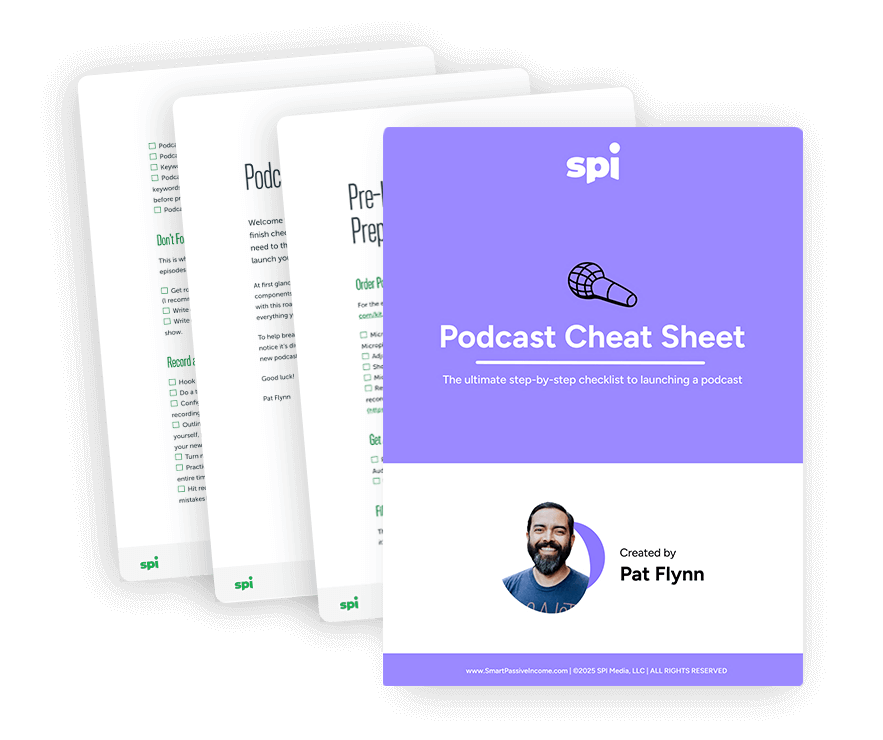
Sign up for my free Podcast Cheat Sheet! This checklist was made as a companion to the How to Start a Podcast Guide, and will help you stay on track as you go through the steps I’ve outlined above so you can learn how to start a podcast the smart way. It has all the steps (and more) to help you launch and grow your podcast.
A free checklist for starting your podcast
Make sure you don’t miss a step! The Podcast Cheat Sheet gives you all the steps you need to start your show.
Join 20,000+ other creators.



200+ Reviews
Thank You!
How to start a podcast FAQ
- How Long Should My Podcast Episodes Be?
- How Often Should I Release My Podcast Episodes?
- What Equipment Do You Need to Start a Podcast?
- How Much Money Does It Take to Start a Podcast?
- Can You Start a Podcast for Free?
- How Much Money do Podcasters Make?
How long should my podcast episodes be?
The answer here is tricky as the most successful podcasts in the world range in episode length from 10 minutes (like NPR’s Up First) to 3 hours (like The Joe Rogan Experience).
When you’re getting started podcasting, your episode length is really a matter of what you think is best for your format as well as your recording and editing stamina (it’s going to take a lot of energy to record and produce 3 hour long episodes multiple times a week when you have so much to learn and practice).
That being said, the 15 minute to 1 hour mark is a great place to start for most beginner podcasters.
Eventually you can layer in different series that could be different lengths (bite-sized 5 minute “did you knows” mixed with hour-long interviews), and get feedback from audience surveys about what they feel is best.
How often should I release my podcast episodes?
This is definitely one of the most common “how to start a podcast questions” I’m asked and my answer, as with so many things, is that consistency is key.
If you can only manage one episode a month to start, great. Publish your one episode a month and hold yourself to it.
One every two weeks? That’s awesome, get it done!
Podcasters and podcast networks that have a lot of experience (and hands to help) sometimes publish multiple episodes a day. That can certainly help you grow a large audience fast, but if you publish five episodes for one week, then completely lose steam and stop podcasting due to burnout, you’re not doing yourself or your audience any favors.
Some podcast producers create their shows in “seasons,” launching a series of podcasts all at once or in a regular stream, then taking breaks just like your favorite TV shows growing up.
Season-based podcasting can be a great strategy if you want to cover particular subjects or themes that are a subset of your overall vision, or feel that’s a better way for you to personally manage your attention or energy.
Just keep in mind that you will have listeners drop off as people incorporate other podcasts into their routines once they run out of new content from you. So unless you already have a large audience you can reach out to jump-start your listenership each season, I’d recommend you first find a consistent schedule without intermittent breaks.
Whatever schedule you choose — seasonal, weekly, or monthly — exercising the discipline of consistency is key.
What equipment do you need to start a podcast?
To start your podcast, at a minimum you’ll need:
- A computer
- A good podcast microphone
- Podcast recording and editing software
- Podcast artwork
- Podcast hosting
- Call recording software
A few things you might want but aren’t absolutely necessary:
- A podcast camera
- Noise-canceling headphones
- Podcast music
- A soundproof recording room
- Podcast music
How much money does it take to start a podcast?
Definitely an “it depends” question, but assuming the computer you already own is good enough to start a podcast with (8GB RAM, 2.5Ghz Quad-Core Processor should be fine), you can get a good podcast mic like the Samson Q2U for about $60, use free podcast recording and editing software like Audacity, and get podcast hosting free for 6 months from Fusebox — bringing the total to about $60 to get started podcasting!
Can you start a podcast for free?
It is possible to start a podcast for free using free podcast recording and editing software, a computer and microphone you already own, as well as free podcast hosting from companies like Spreaker or Podbean. The caveat with some of the do-it-for-free platforms is that you’ll likely spend more time working with tools that aren’t as easy to use as paid options, and in the case of podcasts you might end up with lower-quality audio using a less-than-the-best podcast microphone.
How much money do podcasters make?
This is yet another “it depends” answer that considers your particular sponsorship deals, audience, and size — but AdvertiseCast reports the average podcast advertising rates are currently $18 CPM (cost per mil, aka 1,000 listeners) for a 30-second ad and $25 CPM for a 60-second ad. And if you use affiliate marketing to promote products with your own custom ads and get paid when your listeners buy the products you recommend, you may be able to earn more than that by leveraging your audience trust-building and sales skills.
I appreciate you!
I truly hope you enjoyed this tutorial about how to start a podcast. I spent over 50 hours putting this tutorial together, and several more keeping it updated for you over time.
Feel free to share this guide (click here for an easy X share), especially with your friends and colleagues who you think could benefit from it.
Cheers, and I’ll see you and your podcast on Apple (and other directories) very soon!
Lastly, if you still feel like you need more help and guidance to help you launch and market your podcast, check out my course, Power-Up Podcasting, for more help!